September 1, 2026
Backup vs. Disaster Recovery: Spot the Gap Before an Outage Exposes It

Many businesses believe having backups means they’re ready for any outage. But the truth is, backup vs. disaster recovery are not the same—and that gap often paralyzes operations when systems fail. If your team can’t restore critical systems in the right order and meet recovery time goals, your plan falls short. This post will help you identify the missing links before downtime exposes them. Learn more.
Understanding Backup vs. Disaster Recovery
Let’s dig deeper into why having backups is just one piece of the puzzle. Simply storing data doesn’t guarantee you can keep your operations running after a disruption.
Defining Backup and Its Role
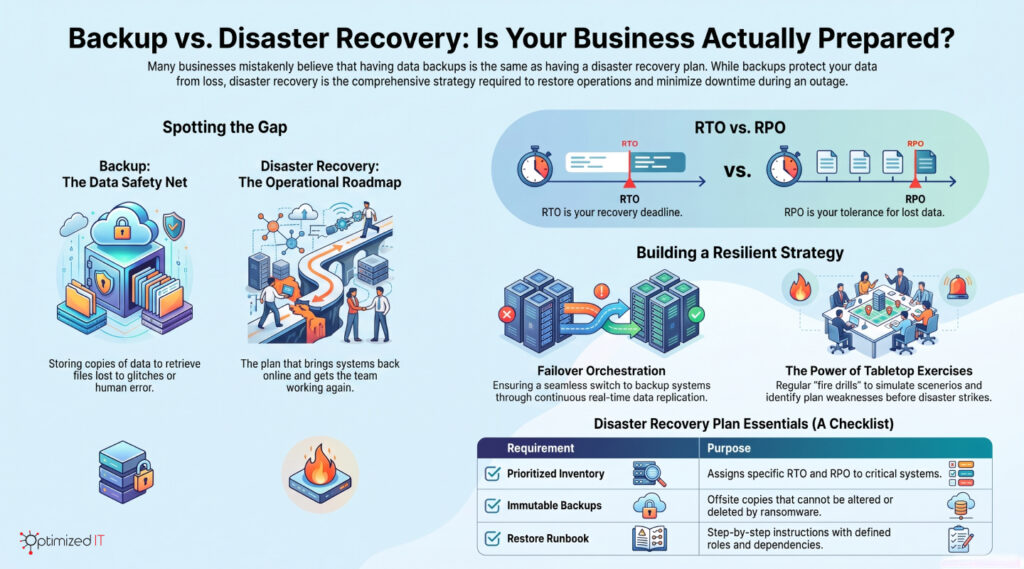
Backups serve a straightforward purpose: they store copies of your data. This ensures that if you lose files due to a technical glitch or human error, you can retrieve them. Imagine it as having a photo album at home. If you lose a photo, you can always find a copy in the album. But what happens if your computer crashes? Backups alone won’t revive your system. For instance, “understanding the difference between backup and disaster recovery” can further clarify this point.
What Disaster Recovery Truly Entails
While backups keep your data safe, disaster recovery ensures your business keeps running. It’s the plan that brings your systems back online and gets your team working again. Disaster recovery involves more than just data. It includes processes, people, and technology to restore operations swiftly. Think of it as a roadmap that guides you back to normal after a disruption. Disaster recovery solutions are essential for maintaining business continuity.
Common Misconceptions and Realizations
Many believe a backup equals a disaster recovery plan. This misconception can lead to costly downtime. When systems go down, it’s not just about data; it’s about how quickly you can restore your operations. The gap between data safety and business continuity often becomes glaringly obvious during an outage. This is why “backup and disaster recovery are not the same.”
Operational Steps for Business Continuity
To ensure your business runs smoothly during disruptions, you need a clear understanding of the operational steps involved. Let’s explore how to keep your systems resilient.
Key Differences in RTO and RPO
Recovery Time Objective (RTO) and Recovery Point Objective (RPO) are critical metrics. RTO is how fast you must restore operations to avoid serious impact. RPO, on the other hand, is about how much data loss is acceptable. Knowing these differences helps you prioritize recovery efforts. Think of RTO as your deadline and RPO as your tolerance for lost data. Getting clear on these helps plan your disaster recovery strategy effectively.
Failover Orchestration and Data Replication
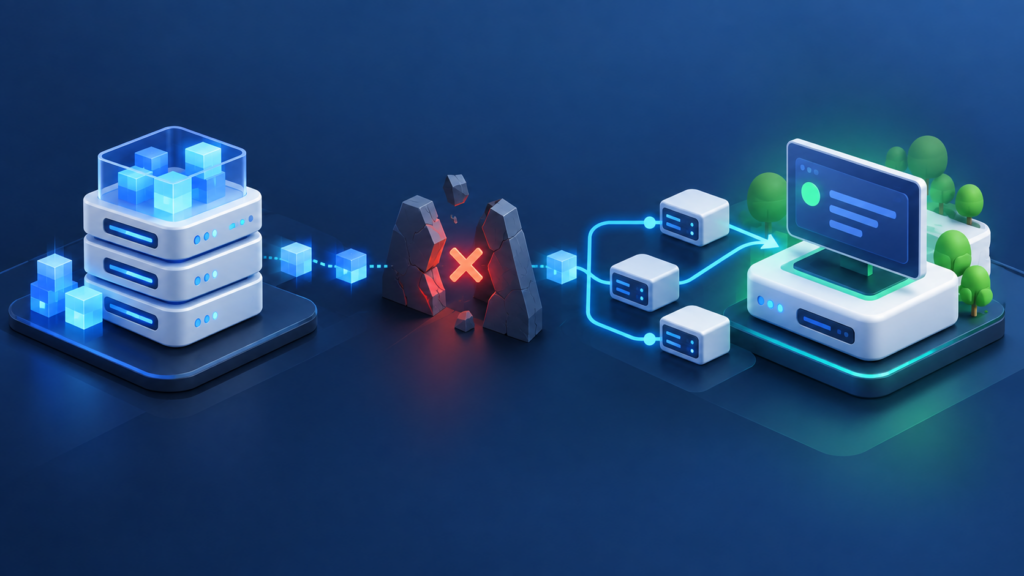
Failover orchestration ensures a seamless switch to backup systems when the primary ones fail. This involves data replication, where data is continuously updated in real time across systems. It’s like having a standby generator ready when the power goes out. This process ensures minimal disruption and helps maintain business continuity, vital for IT resilience.
Testing and Validating With Tabletop Exercises
Testing your disaster recovery plan is crucial. Tabletop exercises simulate real-world scenarios, helping you validate your plan. It’s like a fire drill for your business. By rehearsing your response, you can identify weaknesses and improve your strategy. Regular testing ensures you’re not caught off guard during an actual disaster.
Identify and Close the Gaps
Awareness of gaps in your disaster recovery plan is the first step to closing them. Addressing these gaps ensures your plan is robust and ready for any challenge.
Checklist for a Comprehensive DR Plan
A thorough disaster recovery plan should include:
- Prioritized inventory of systems with assigned RTO and RPO
- Immutable backups stored offsite
- Step-by-step restore runbook with dependencies
- Defined roles for recovery execution
- Out-of-band communication method
This checklist ensures you cover all bases, leaving no room for guesswork during a crisis.
Moving Beyond Immutable Backups
While essential, immutable backups alone aren’t enough. They must be part of a broader strategy that includes regular testing and clear recovery procedures. Immutable backups ensure data integrity, but without a tested recovery plan, they can’t guarantee business continuity. Moving beyond backups means integrating them into a seamless disaster recovery strategy.
Benefits of Partnering With Managed IT Services
Managed IT services offer expertise and resources that enhance your disaster recovery plan. They provide continuous monitoring, regular testing, and on-demand support, ensuring your systems are always ready. Partnering with professionals means you can focus on your core business while they handle IT resilience. This collaboration boosts confidence in your disaster recovery capabilities.
Frequently Asked Questions
What is the difference between backup and disaster recovery?
Backup stores data copies, while disaster recovery is the process of restoring systems and operations after a disruption. Backups alone don’t ensure business continuity.
How often should disaster recovery plans be tested?
Disaster recovery plans should be tested at least semi-annually. Regular testing ensures the plan’s effectiveness and uncovers any weaknesses.
Why is failover orchestration important?
Failover orchestration ensures a smooth transition to backup systems during failures. It minimizes downtime and maintains business operations seamlessly.
By understanding these concepts and implementing a comprehensive disaster recovery plan, you can keep your business running smoothly, even in the face of unexpected disruptions.